Let’s skip the “just follow your passion” pep talk. You can absolutely write about what you love and make money—but the internet does not pay people for vibes. It pays for solutions. If your niche solves real problems for people who are willing (and able) to spend, you’ve got a business. If not, you’ve got a cute diary.
This guide is your no-fluff, step-by-step playbook for picking a profitable blog niche and launching a WordPress blog the smart way. We’ll validate your ideas (so you don’t marry the wrong niche), set up the tech without tears, and map out your first 30 days of content and monetization. Grab coffee; we’re building an income stream.
Part 1: How to Choose a Profitable Blog Niche
The Profitable Niche Rulebook (8 quick tests)
Use these like green-light checks. Aim for at least 6/8 yeses.
- Paid Problem
Does the niche naturally include problems people pay to fix? (saving money, making money, health, beauty, home, parenting, pets, hobbies with gear) - Evergreen With Trend Tails
80% timeless (budgeting, meal prep, pet care) + 20% timely (holiday, back-to-school, Amazon Prime Day). This combo gives steady traffic and spikes. - Audience With Wallets
Can readers spend $20–$300+ on products, courses, services, or upgrades? If yes, affiliate commissions and sponsors become realistic. - Multiple Monetization Paths
At least 3 of these should fit naturally: display ads, affiliate links, sponsored posts, coaching/services, digital products, printables, templates, courses, membership. - Search Opportunity
Long-tail keywords exist (1–4 word phrases are saturated; 5–8 word phrases are gold). You can find dozens you could realistically rank for. - Your Advantage
Experience, story, job background, or obsession that gives you a unique angle. (Ex: “budgeting for nurses on shift work,” “meal prep for gluten-free families,” “DIY décor for renters.”) - Content Depth
Can you list 100+ post ideas quickly? If not, the niche might be too narrow. - Brandability
Is it easy to name, explain, and design? If your niche needs a TED Talk to understand, readers will bounce.
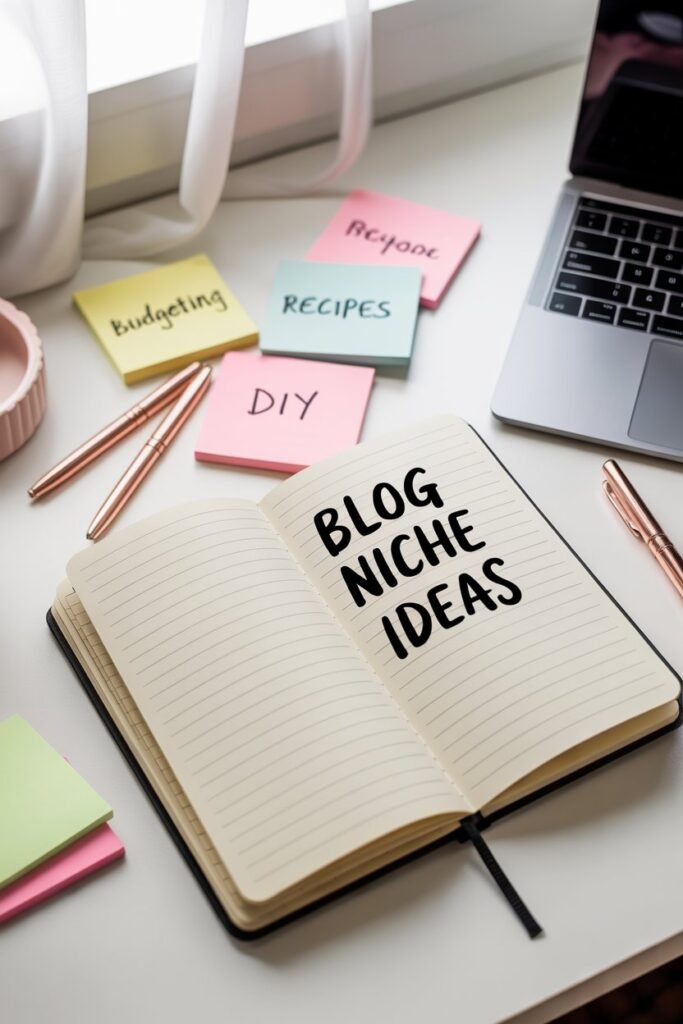
15 Proven Money-Making Niche Ideas (with angles)

Pick the exact angle that fits your story and monetization.
- Frugal Living & Budgeting – challenges, printables, cash stuffing, high-yield savings, bill negotiation.
- Side Hustles & Work From Home – legit sites, case studies, gig comparisons, productivity.
- Recipes With a Financial Hook – $10 dinners, 20-minute meals, meal prep on $50/week.
- Home Organization for Busy Families – small-space hacks, Amazon storage, capsule wardrobes.
- Cleaning & Laundry Systems – realistic routines, product tests, stain guides.
- Pinterest & Blogging for Beginners – pin design, starter templates, content plans.
- DIY & Rental-Friendly Décor – peel-and-stick everything, budget room makeovers.
- Beauty on a Budget – drugstore dupes, skincare routines by concern.
- Fitness at Home – resistance bands, walking plans, postpartum routines.
- Gardening for Small Spaces – container gardening, herbs, budget tools.
- Pets – training, nutrition, product comparisons, cute printable trackers.
- Travel on a Budget – weekend trips, family road trips, packing lists, deal alerts.
- Homeschool/After-School Learning – printables, schedules, book lists, skill-based units.
- Wedding & Party Planning on a Budget – checklists, vendor scripts, Amazon decor.
- Eco-Friendly Swaps – simple starter kits, refill systems, cost breakdowns.
The 20-Minute Niche Validation Sprint
Set a timer. If your idea passes, it’s a keeper.
- Write 25 Post Titles
If you can’t, niche might be too thin.
Example (Budget Meals): “14 $5 Sheet-Pan Dinners,” “7-Day $50 Aldi Meal Plan,” “Pantry Swaps That Cut Grocery Bills 20%.” - Monetization Map
List 10 affiliate products/services you could naturally recommend today. (Amazon tools, meal-prep containers, budgeting apps, courses.) - Search Check (fast + dirty)
- Look at page 1 for 5–10 of your titles.
- If you see forums (Reddit/Quora), Pinterest boards, or young blogs ranking—opportunity.
- If it’s all mega sites (NYT, Wirecutter) and your phrase is super broad, niche down a layer.
- Pinterest Check
Search your core phrase on Pinterest. Lots of pins and saves? Great. Only a few? Either untapped or unwanted—validate with search volume via keyword tools later. - Audience Money Test
Can your reader spend at least $100/year in your niche through products/services? If yes, the lifetime value supports affiliates and sponsors.
Score each niche 1–5 for Demand, Monetization, Competition (reverse-scored), Evergreen, Personal Advantage. Highest total wins.
Part 2: Start Your Blog (Step-by-Step)

Step 1: Choose Your Platform
Use WordPress.org (self-hosted). It’s the industry standard, customizable, and plays nicely with SEO, ads, and storefronts.
Step 2: Pick a Domain Name
Keep it short, easy to spell, and broad enough to grow.
- Aim for .com if possible.
- Avoid hyphens/numbers.
- Examples: SavvyPantry.co, HomeLuxeOnABudget.com, SideHustleSprout.com
Good news: the web hosting we will be using and that I use for all my websites offers you a completely free domain. Translation: the $10–$15 you’d normally spend this year? Saved.
Step 3: Get Hosting + Install WordPress
I recommend Hostinger for beginners (speedy, affordable, and simple).
- Choose a plan with one-click WordPress + free SSL.
- Point your free domain, click install, and you’re live in minutes.
Step 4: Pick a Fast, Free Theme
- Astra or Kadence (lightweight, SEO-friendly, drag-and-drop friendly).
- Import an Astra Starter Template that matches your vibe, then customize colors and fonts.
Step 5: Essential Plugins (keep it lean)
- Rank Math (or Yoast) – on-page SEO assistant.
- LiteSpeed Cache – performance (pairs perfectly with Hostinger).
- WPForms Lite – contact forms.
- Site Kit by Google – GA4 + Search Console in your dashboard.
- Pretty Links – clean affiliate links + tracking.
- ShortPixel – compress images so pages fly.
Step 6: Site Structure & Legal
- Pages: Home, About, Contact, Privacy Policy, Affiliate Disclosure, Terms.
- Categories: choose 3–5 pillars max (e.g., Budget Meals, Meal Prep, Kitchen Hacks).
- Add a simple menu and footer with legal links.
Step 7: Brand Basics
- Colors: 1 primary, 1 neutral, 1 accent. Keep it readable.
- Fonts: a clean sans-serif for body (Inter, Lato) + a friendly headline font.
- Logo: simple wordmark is fine on day one.
Step 8: Analytics & Indexing
- Connect Google Analytics (GA4) and Search Console.
- Submit your sitemap (Rank Math makes one).
- Turn on Bing Webmaster Tools (bonus traffic).
Part 3: Your 30-Day Content Launch Plan
The Pillar–Cluster Method (fast track to SEO)
Pick 3 pillars. Under each, publish 4 supporting posts. That’s 12 posts in month one.
Example (Budget Living blog):
- Pillar 1: Groceries on a Budget
- $50 Week Meal Plan at Aldi
- 21 Pantry Swaps That Slash Costs
- Cheap Proteins Ranked by Cost per Serving
- How to Freeze & Reuse Leftovers
- Pillar 2: Quick Budget Recipes
- 10 $5 Sheet-Pan Dinners
- One-Pot Taco Pasta (our star)
- 15-Minute Budget Breakfasts
- Freezer-Friendly Lunch Bowls
- Pillar 3: Home & Money Systems
- The Half-Payment Bill Hack
- Cash Stuffing for Beginners
- $0–$200 Emergency Fund Sprint
- The 50/30/20 Budget (With Real Numbers)
Interlink within each pillar (cluster) and from supporting posts back to the pillar guide. Google loves clear structure.
Every Post Should Follow This SEO Checklist
- One primary keyword in: title (H1), URL slug, intro, 1–2 H2s, image alt text.
- A compelling meta description (120–155 chars, benefit + keyword).
- Table of contents for long posts.
- Internal links to 3–5 related posts.
- Outbound link to a reputable source (study, brand).
- Feature image under 200 KB (compressed).
- End with a CTA (join email list, download freebie, read next post).
Part 4: Traffic Plan (Pinterest + Google + Email)

Pinterest (your fastest early wins)
- Create 5–7 keyword-rich boards (e.g., “$10 Dinner Recipes,” “Meal Prep on a Budget”).
- For each post, design 3–5 pins (vertical 1000×1500).
- Pin daily (manual or scheduler).
- Use long, descriptive pin titles + descriptions with keywords.
- Create occasional Idea Pins (process steps, quick tips) to boost reach.
SEO (compounding growth)
- Target low-competition, long-tail queries first (“$5 sheet pan dinners” beats “cheap dinners”).
- Publish consistently (2–3 posts/week for 90 days).
- Update early posts at day 45 with internal links to newer content.
Email (own your audience from day one)
- Use MailerLite or ConvertKit (free tiers).
- Offer a lead magnet: budget meal planner, pantry checklist, bill tracker.
- Create a 3-email welcome series:
- your story + top posts,
- quick win (free template),
- soft pitch (affiliate or product).
Part 5: Monetization Timeline

Month 0–2
- Sprinkle affiliates naturally (Amazon kitchen tools, apps, templates).
- Start email list and recommend useful resources.
- Add disclosure to header/footer and relevant posts.
Month 3–4
- Apply for ads (Ezoic/SheMedia/Monumetric as your traffic grows).
- Pitch sponsors for relevant roundups (“Budget Pantry Essentials”).
Month 4–6
- Launch your first digital product (printable meal planner, grocery optimizer, mini course).
- Create bundles: planner + recipe pack + shopping list.
Ongoing
- Publish 2–3 posts/week, update top 10 posts quarterly, build authority page (About + your story + credentials), collect testimonials (reader wins).
Common Niche Mistakes (and how to dodge them)
- Too broad: “Lifestyle” isn’t a niche. Pick a problem + audience.
- Too narrow: “Pink vegan crockpot meals for toddlers” gives you 8 posts then silence.
- No monetization plan: Map income paths before you pick the niche.
- Copycat content: Your story/angle is your moat—use it.
- Chasing trends only: Mix evergreen with seasonal spikes.
Your 7-Day Action Plan
Day 1–2: Run the 20-minute validation sprint on 2–3 niche ideas. Pick 1.
Day 3: Get hosting + free domain, install WordPress, theme, plugins.
Day 4: Set up pages, categories, analytics, basic branding.
Day 5: Draft 4 posts (one pillar + three supports).
Day 6: Publish 2 posts, design 3 pins each, submit sitemap.
Day 7: Publish 2 more, interlink, create lead magnet draft.
Rinse weekly until you hit 12 posts.
Final Pep Talk
You don’t need a perfect niche; you need a profitable one you can stick with. Pick a space where people spend, where you can help, and where you won’t run out of things to say. Then launch simply: clean theme, fast site, helpful posts, clear monetization. The fancy bells and whistles can come later.
Remember: the web hosting we will be using—and that I use for all my websites—offers you a completely free domain, so there’s one less excuse to wait. Hit publish. Help real people. Iterate. Income follows consistency.
If you want, I can spin up a starter content calendar (12 posts) and a lead-magnet bundle tailored to the niche you choose.