I used to think I needed a “perfect” productivity system to stay organized.
So I tried everything.
Complicated apps, detailed planners, color-coded systems that looked great at first but quickly became overwhelming to maintain.
For a while, it felt like I was spending more time organizing my life than actually living it.
That changed when I went back to something simple.
Apple Notes.
Not because it is the most powerful app out there, but because it is the easiest one to actually stick with.
This system is not about perfection. It is about having a place for everything in your life without creating more work for yourself.
If you’ve ever felt overwhelmed by productivity systems, this approach will feel like a reset.
Why I Stopped Using Complicated Productivity Systems
The problem was not that those systems didn’t work.
The problem was that they required too much effort to maintain.
I noticed a pattern.
Every time I created a detailed system, I would:
- Use it consistently for a few days
- Fall behind
- Feel overwhelmed
- Stop using it completely
And then I would start over again with something new.
That cycle is what keeps most people stuck.
What I needed was something:
- Fast to use
- Easy to maintain
- Flexible enough for real life
That is exactly what Apple Notes gave me.
What Makes Apple Notes So Effective (If You Use It Right)

Most people underestimate Apple Notes because it looks simple.
But that simplicity is actually the advantage.
There is no friction.
You open it, write something, and move on.
No setup. No complicated structure. No learning curve.
But the key is not just using Apple Notes.
It is using it with a system.
The Core Rule of My System
Everything goes into Apple Notes first.
Not into different apps. Not into random places.
If I need to:
- Remember something
- Plan something
- Capture an idea
It goes into Apple Notes immediately.
This removed one of my biggest problems, which was scattering information everywhere.
My Simple Folder Structure (That I Actually Stick To)

I don’t use dozens of folders.
That is where most systems start to break.
I keep it very simple.
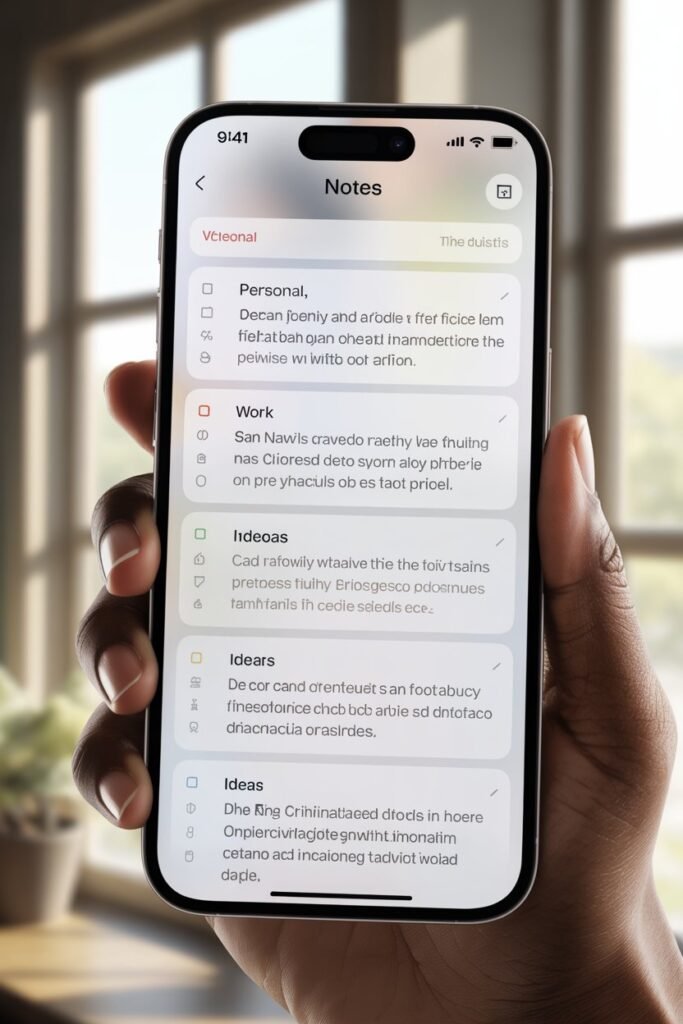
1. Life
This is where everything personal goes.
- Journaling
- Random thoughts
- Ideas
- Notes to myself
This is the space where I don’t overthink anything.
2. Work / Projects
Everything related to work or structured goals.
- Blog ideas
- Content planning
- Project notes
- Tasks broken down
Instead of using multiple tools, I keep everything in one place.
3. Quick Capture
This is one of the most important parts of my system.
Whenever something comes up and I don’t have time to organize it, it goes here.
- Ideas
- Reminders
- Things to research
- Random thoughts
I don’t organize in the moment. I just capture.
4. Reference
This is where I store things I might need later.
- Links
- Lists
- Important information
- Saved notes
This acts like a personal library.
The Daily System I Actually Use
A system only works if you use it daily.
This is what mine looks like in real life.
Morning (2–5 minutes)
I open Apple Notes and check:
- What I wrote the day before
- What needs attention today
I don’t create long plans. Just quick direction.
During the Day
Everything goes into Quick Capture.
No thinking. No organizing. Just capturing.
This keeps my mind clear instead of trying to remember everything.
Evening Reset (5–10 minutes)
This is where everything comes together.
I:
- Move important notes out of Quick Capture
- Delete what I don’t need
- Organize what matters
This small habit keeps everything clean without effort.
Why This System Actually Works
The reason this works is simple.
It removes friction.
There is:
- No pressure to be perfect
- No complicated setup
- No need to keep up with a strict structure
It adapts to your life instead of forcing your life to adapt to it.
And that is what most productivity systems get wrong.
If you are tired of starting over with new systems, this might be the one that finally sticks.
Because it is simple enough to use every day, even when life gets busy.
Small Upgrades That Made This System Even Better
Once I had the basic system in place, I added a few small improvements that made everything smoother without making it more complicated.
1. Pin Your Most Important Notes
I pin:
- My main to-do list
- Current priorities
- Ongoing projects
This keeps the most important things visible without digging through folders.
2. Use Simple Titles That You Can Find Later
I stopped trying to make my notes look perfect.
Now I focus on making them searchable.
Instead of vague titles, I use clear ones like:
- “Blog Ideas June”
- “Weekly Plan”
- “Content Outline”
This makes finding things much faster.
3. Keep Notes Short and Actionable
Long notes are easy to ignore.
I keep things simple:
- Bullet points
- Short lists
- Clear next steps
This makes it easier to come back and actually use what I wrote.
4. Use Checklists for Everything
Checklists changed how I use Apple Notes.
I use them for:
- Daily tasks
- Packing lists
- Content workflows
- Routine steps
There is something about checking things off that keeps you moving.
5. Don’t Over-Organize
This is important.
The moment your system starts feeling like work, it will stop working.
I only organize when needed.
Not everything needs a perfect place.
The Biggest Mistakes People Make With Apple Notes

I made most of these myself before finding a system that actually worked.
1. Creating Too Many Folders
More folders does not mean more organized.
It usually means more confusion.
2. Trying to Make It Look Perfect
Your notes are not meant to be aesthetic.
They are meant to be useful.
3. Not Reviewing Notes
If you only write and never review, your notes become clutter.
That is why the daily reset matters.
4. Using Too Many Apps at Once
Switching between apps creates friction.
Keeping everything in one place removes that problem.
How to Make This System Work for You
The goal is not to copy this exactly.
The goal is to simplify your own system.
Start with:
- One main place for everything
- A simple folder structure
- A daily habit of capturing and reviewing
Then adjust as you go.
Your system should feel natural, not forced.
SHORT FAQ
Is Apple Notes enough for productivity?
Yes, if you use it consistently and keep your system simple.
How many folders should I have?
As few as possible. Start with 3 to 5 and adjust only if needed.
What is the most important habit?
Daily capture and a short evening reset.
Should I use Apple Notes for work and personal life?
Yes. Keeping everything in one place makes it easier to manage.
What if I fall off the system?
Just start again. The simplicity makes it easy to reset.
Final Thoughts
I used to think I needed a more advanced system to stay organized.
Something more structured. More detailed. More “perfect.”
But the more complicated it got, the less I used it.
This is the first system that actually stuck.
Not because it is powerful, but because it is simple enough to use every day.
Now everything in my life has a place, and I don’t have to think twice about where to put it.
And that is what being organized should feel like.
Simple, clear, and easy to maintain.